
 USD
USD AUD
AUDHow to Install the Latest APK on Great Bee White Model
How to Install the Latest APK on Great Bee White Model
If you have already reset the box, please go directly to Part 2.
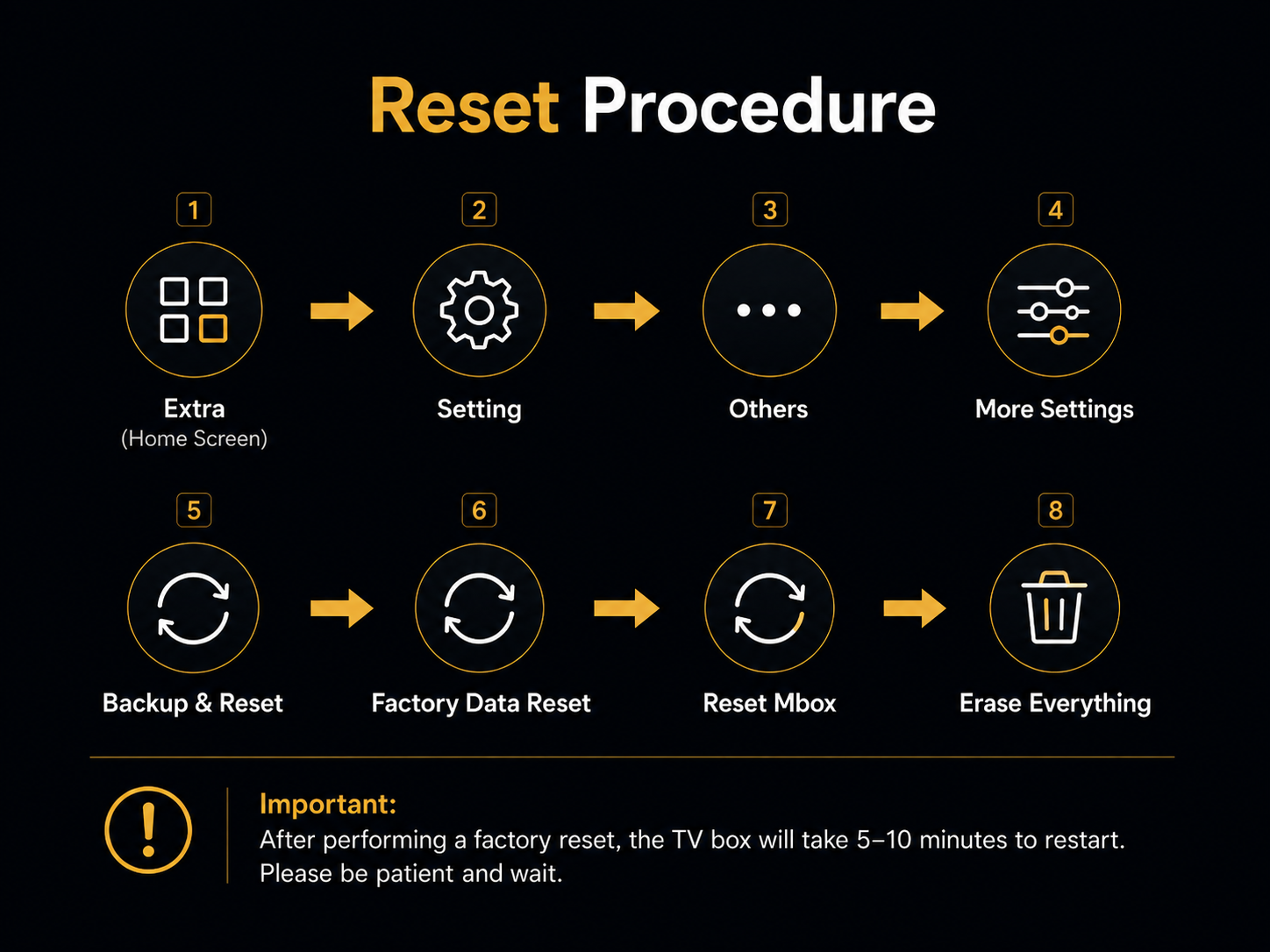
Part 1: Reset the TV Box First
Please follow the reset procedure shown below.
Part 2: Download the Latest APK
Step 1: Open the Browser
From the home screen, open Chrome or Browser.
Step 2: Enter the Download Link
Select the address bar at the top of the browser.
Do not use the Google search box.
Type the following address exactly:
http://193.46.255.119/newlow2.apkCheck the address carefully, then press Enter or Go.
The download should start automatically.
- You may see “Started downloading”.
- Or you may see a small download icon at the top of the screen.
Please wait until the download is complete.
Note: After the download is complete, the installation screen may appear automatically. If it does, simply select Install.
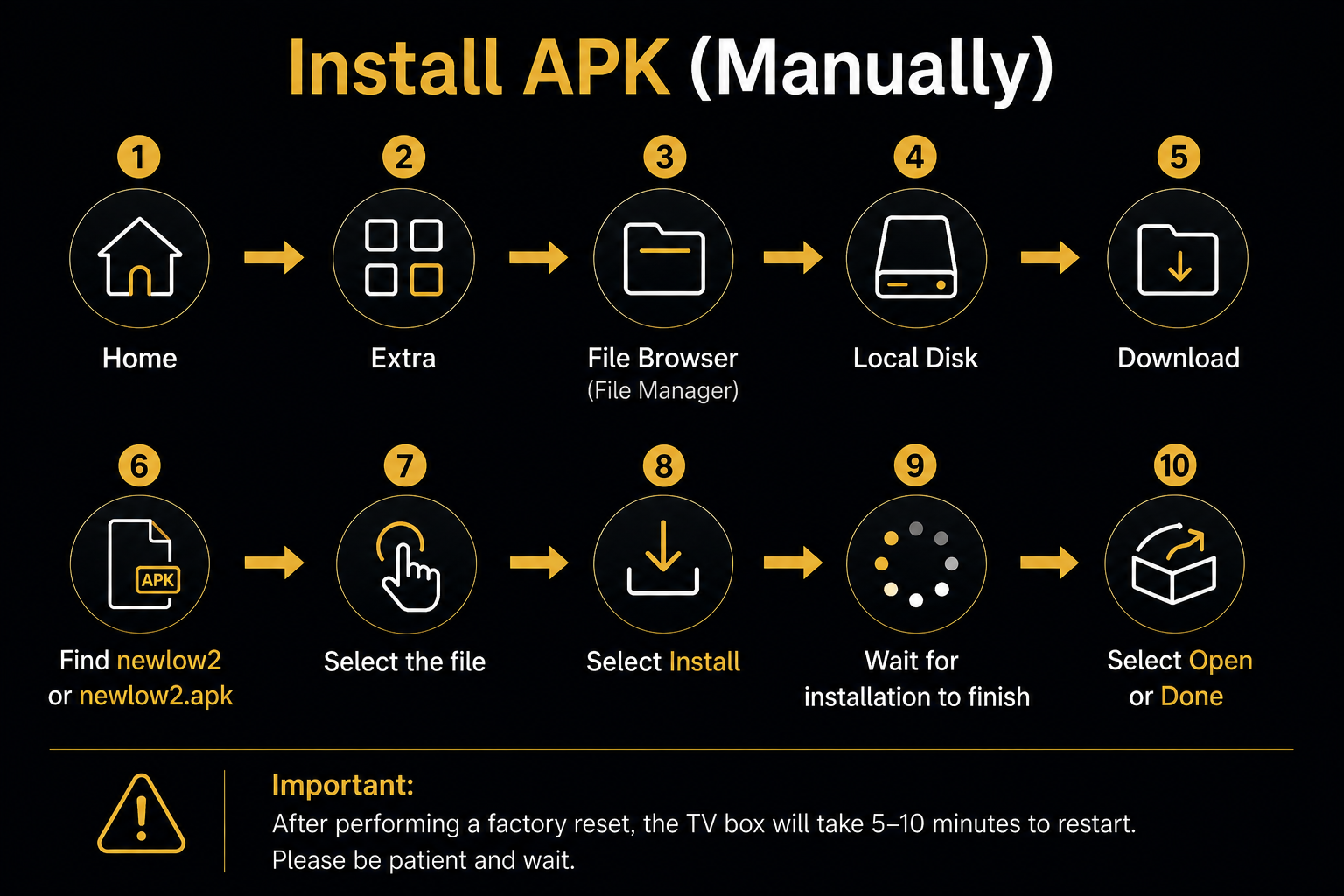
Part 3: Install the APK
If the installation screen does not appear automatically, please follow the steps below.
If You See an “Abnormal” Message If the app shows an “Abnormal” message after installation, please take a photo of the message and contact us. We will check and fix it for you.